
Without Central Brain
- Scattered folders and stale indexes
- The same files uploaded again and again
- Useful answers with no clear source trail
- Every AI conversation starts from zero
A NeuroAIgent product · Persistent project memory over MCP · On sale since January 2026
Local-first AI project memory for Windows and Apple silicon Mac. Stop re-explaining your projects to AI. Central Brain™ keeps project files, saved decisions and next steps available to your connected AI tools. Start a new session or switch supported assistants with your project context ready to recall.
14-day free trial. No credit card required.
Activation requires a valid license. Check the setup guide for available installers and supported connections before choosing a plan.
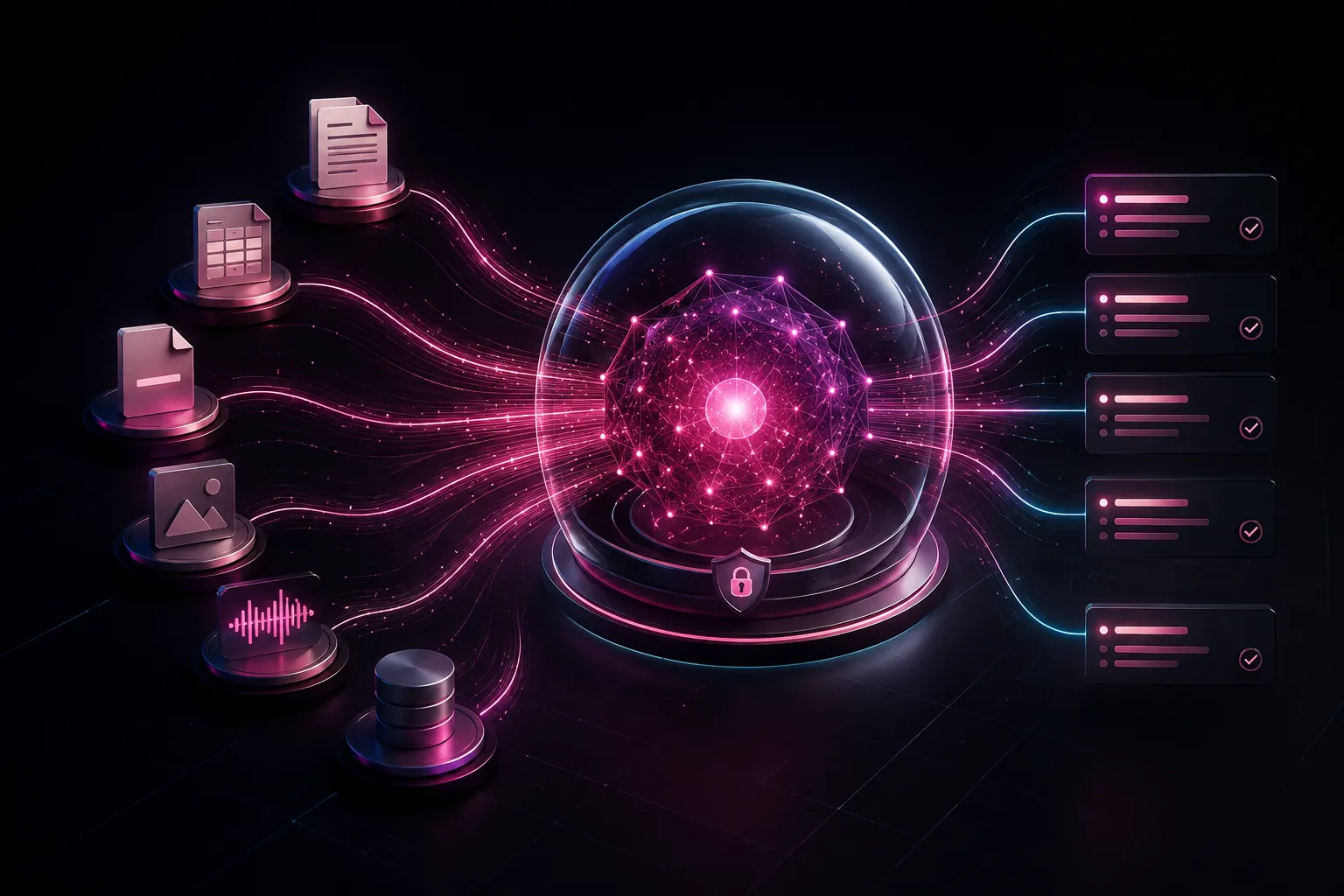
See it in action · 49 seconds
See Claude and ChatGPT answer the same question about Project Northstar using Central Brain.
The video includes on-screen captions, labeled accelerated sections and an AI-generated presenter. Connected AI tools receive the context they retrieve; local storage does not make a cloud AI service offline.
This is a written summary of the demonstrated workflow, not a word-for-word transcript. Setup and capabilities vary by AI client.
Official product and publisher
Central Brain by NeuroAIgent adds project memory and file search to supported AI assistants over MCP. It is separate from the unrelated CENTRALBRAIN at centralbrain.io and employAIgents, and from the generic idea of a central AI brain.
Verify the publisher NeuroAIgent, this product page at neuroaigent.ai/central-brain/, and the linked Microsoft Store listing. Similar names do not make the products affiliated.
MITechNews coverage, September 22, 2026 identifies NeuroAIgent's Central Brain in its interview with Robert Skinner and discusses persistent organizational knowledge across AI tools. This is published interview coverage, not an independent performance test.
Recorded product demonstration
The recording shows Claude and ChatGPT answering the same question about Project Northstar's approved budget, launch date and storage restriction. Their recorded answers show the same three project facts. That is the concrete workflow to inspect when you want project context available across supported assistants.
Watch the original 49-second Northstar recording
Compare Claude's answer around 22 seconds with ChatGPT's around 33 seconds: both show a $42,500 approved budget, a November 15, 2026 launch date and a restriction against external cloud document storage. These are demo-project facts. The storage rule is part of the sample records; connected assistants still receive retrieved context.
This is a recorded product demonstration with labeled accelerated sections and an AI-generated presenter. It is not an independent customer case study, a real-time speed benchmark, a Windows-versus-Mac parity test or evidence of concurrent team access and permissions. Connected AI tools receive the context they retrieve.
Definition
Central Brain AI is NeuroAIgent’s local-first AI memory layer, a desktop app for Windows and Apple silicon Macs. It indexes project files on your computer, keeps project memory as readable local files, and runs air-gapped between 14-day license checks (cloud-hosted AI clients still need internet). Through a local MCP server with core memory and search tools, Claude Desktop, Claude Code, GitHub Copilot and GPT Desktop can recall that memory and search your files. NeuroAIgent sometimes uses CentralBrain as an alias for this product. Check the publisher and official product URL: the product at centralbrain.io and employAIgents is from an unrelated company. Full answer: what is Central Brain AI?
The problem Central Brain fixes
The most valuable knowledge in your business is trapped in folders: contracts, reports, spreadsheets, notes, PDFs, and media. Uploading files one conversation at a time is slow, inconsistent, and hard to audit. Central Brain prepares that material once, keeps it organized by project, and makes it available to supported AI tools as a reusable memory layer.
Built for real discovery questions
Central Brain is designed for people who need a local-first way to prepare, search, and reuse project knowledge across supported AI tools.
Prepare PDF, DOCX, TXT, Markdown, CSV, and XLSX content once, then search the local index without re-uploading the same files for every conversation.
Central Brain results include the source path, prepared-file path, page, and chunk where available, so retrieved context keeps a usable trail back to the original material.
Claude Desktop, Claude Code, GPT Desktop, GitHub Copilot in VS Code, Hermes and OpenClaw, connected over standard MCP with a configuration the app generates for each client.
Yes. Start with bundled local embeddings and JSONL vectors. Optional connections can later publish to Pinecone or Postgres pgvector or JSONB; talk to NeuroAIgent about Team and Enterprise deployments and implementation support.
Memory and search over MCP
Standard MCP tools. Source-file tools are read-only; memory_checkpoint appends notes; memory_compact replaces the project brief and marks older notes as compacted rather than deleting them. On connect, central_brain_ping returns a RESUME block from the project’s saved memory, so a new session picks up where the last one left off. Supported AI tools connect to this local server over the Model Context Protocol (MCP); capabilities vary by client.
central_brain_pingConfirms the server is running, reports the project root folder and returns a RESUME block from the project’s saved memory.
memory_recallSearches decisions, facts, open questions, todos, summaries and the project brief. Call it before answering anything about earlier work.
memory_checkpointAppends one note at a time (a decision, fact, question, todo or summary), so it is still there after the chat is compacted or closed.
memory_compactReplaces the project brief with an updated summary and marks older notes as compacted. It does not delete them.
semantic_searchVector search by meaning over the project's prepared files, using the bundled local MiniLM model by default. Hits carry path, page and chunk where available.
search_textExact text search across the files for when you know the phrase.
read_fileReads one file under the project root.
list_filesLists files under the root, optionally in a subfolder.
Everyday work and project control
Feature availability depends on the installed release and client profile. Fleet Mode is a build 26 Preview; check current downloads for platform availability.
Keep selected files, prepared content, metadata and project context together across assistant conversations. Inspect sources and processing state instead of relying on one chat history.
Add one file without collecting its siblings. Retained project assets, explicit folder choices, replacement review and supported Undo help you control what belongs in each project.
Invoke a project chooser with a configurable global shortcut. Select files, tap the shortcut and choose a project, or cancel before importing. The wheel stays hidden until invoked.
Prepare supported documents for text and semantic retrieval, with available filename, page or chunk provenance. OCR supports eligible scanned documents; results depend on the source and processing settings.
Connection workflows support GPT Desktop, Claude Desktop, Hermes, OpenClaw and Copilot in VS Code. Actual setup requirements and tested availability depend on the installed release and client profile.
Keep eligible project work running when the main window closes. Inspect scheduled tasks and activity from the menu bar or tray. Explicit Quit stops the background host; launch at login is a separate choice.
View available asset inventories as CSV reports with processing state and metadata. Keep exports updated, or stop live updates and retain a snapshot. Editing report rows does not edit the project.
Optionally detect supported sensitive patterns in prepared text and metadata using local components. Review findings while preserving original documents. Detection is best effort; connected assistants and external providers retain their own data behavior.
Give approved devices separate permissions to recall or contribute shared project notes. Personal memory stays separate. Remote contributions append supported notes without general editing, deletion or remote compaction.
Create encrypted portable project copies to open approved knowledge on another computer. Snapshots and supported shared-folder synchronization serve different workflows. Private profile keys and provider credentials do not travel with the copy.
Advanced · Preview
Fleet Mode Preview is designed for up to twelve computers: one coordinator and up to eleven workers. The first preview delegates supported document preparation for coordinator-owned projects. Final indexing and embeddings remain on the owner, and redaction-protected projects stay local to the owner.
Find Fleet Mode in Central Brain Settings → Advanced → Fleet Mode; Share Brain includes a shortcut. Local network operation needs no cloud relay. Check current downloads for platform availability; twelve-computer hardware acceptance and native Windows fleet testing remain unverified here.
Privacy and control
In the default project workflow, your source files, prepared output, vectors, and memory stay on storage you choose, and local MiniLM embeddings are bundled with the app. Central Brain contacts Keygen for activation and a license check every 14 days, and runs air-gapped in between; Keygen receives licensing and device data, not documents. Connected AI tools receive the context they retrieve, and cloud embeddings, Pinecone, Postgres, Redis, or other optional connections send selected data only when you enable them.
From folder to useful context
Select source folders and where prepared output should live.
Convert and enrich files into AI-ready material, with optional OCR where the build includes it.
Chunk and embed locally or with a provider you configure.
Search directly or connect supported AI tools through MCP.
Process only new and changed material as the project evolves.
Flexible licensing
Buy Solo, Pair or Power Pack online. No sales call required. Pay monthly or save 15% with one annual payment. Each license activates one computer; custom infrastructure and negotiated support are optional.
Annual plans are billed once per year.
Monthly pricing selected. Billed monthly.
One Central Brain license.
$12 per license
Two Central Brain licenses.
$10 each · save $4 monthly
Four Central Brain licenses.
$8.75 each · save $13 monthly
Infrastructure and support sized to your team.
Custom deployment
Choose a monthly subscription or an annual subscription billed once per year at 15% below twelve monthly payments. Taxes may apply. Each included license activates one computer. Review the refund and cancellation policy; renewal and cancellation terms are shown at checkout. Team and Enterprise scope is defined in your order.
Straight answers
Central Brain is a local-first AI memory layer by NeuroAIgent: a Windows and Apple silicon Mac desktop app that indexes project files locally and gives supported AI tools, such as Claude Desktop, Claude Code, GPT Desktop, GitHub Copilot in VS Code, Hermes and OpenClaw, persistent project memory and source-traceable search over MCP. It prepares, indexes, and searches PDF, DOCX, TXT, Markdown, CSV, and XLSX files, and keeps project memory as readable local files: five note types (decision, fact, question, todo, and summary) plus a project brief.
Central Brain prepares files once, stores the default vector index locally, and lets supported AI tools retrieve relevant project context through a project-specific MCP connection. You control the source folders, prepared output, and optional cloud connections.
Central Brain provides the document preparation, local embeddings, vector search, source metadata, and MCP access used in private retrieval workflows. The connected AI assistant generates the final answer, while Central Brain supplies relevant context and its source trail.
Yes. Central Brain offers a 14-day free trial. No credit card is required. Paid plan prices remain the same.
Yes. Deactivate the old computer first when possible, then activate the same key on the replacement. Each self-service license includes three complimentary assisted machine resets per rolling 12 months when the old device cannot be deactivated. Transfers require an active paid subscription and remain subject to the one-computer limit.
Central Brain is designed for developers, consultants, researchers, and small teams who reuse project files across AI sessions and want reusable AI context without making a cloud service the default home for every source file.
No. Central Brain is the memory layer behind supported AI tools. It prepares and retrieves your project material; the connected assistant remains the interface that reasons over and responds with that context.
In the default workflow, files, prepared output, vectors and memory stay on storage you choose. Keygen receives licensing and device data, not documents. Connected AI tools receive the context they retrieve. Explicit sharing exposes approved projects to trusted computers; Fleet Mode workers receive the inputs needed for assigned tasks. Optional cloud connections send selected data only when enabled.
Central Brain runs air-gapped: preparing files, indexing, search and memory need no network connection. The license is re-checked online every 14 days, and Team and Enterprise plans can get a build with no online license check. Optional cloud connections and cloud-hosted AI clients need internet.
PDF, DOCX, TXT, Markdown, CSV and XLSX, with metadata-only indexing for images, audio and video; OCR is optional and depends on the build.
Claude Desktop, Claude Code, GPT Desktop, GitHub Copilot in VS Code, Hermes and OpenClaw, connected over standard MCP with a configuration the app generates for each client.
Windows 10 or later with 2 GB RAM minimum; Apple silicon Mac with an M1 or newer chip. Larger projects and OCR can require more memory and storage. Minimum macOS version and Mac RAM requirement depend on the current release. Requirements and reported PDF chunking performance.
Start with the workflow you need: preparing project documents locally, saving readable decisions and sharing that context with supported AI tools. Our guides and comparisons cover memory APIs, Markdown tools, native assistant memory and Central Brain's packaged desktop approach.
Yes, with a supported GPT Desktop MCP connection. Save established project notes, then recall them in a new session connected to the same project. Central Brain keeps its own readable project memory and does not change ChatGPT's account memory settings. See the ChatGPT project-memory workflow.
Yes. Connect Claude Desktop or Claude Code and another supported client to the same Central Brain project. They can retrieve the project's saved notes and search its source files through MCP. Each client must be configured, and retrieved context is shared with that AI tool. See the Claude project-memory workflow.
Pinecone and Postgres (pgvector or JSONB) are optional connections for publishing the index to shared infrastructure, and they send selected data only when enabled. Contact NeuroAIgent to discuss which plan, deployment, and support fit your team.
No. Central Brain prepares and searches source material and exposes relevant project context. Outputs from third-party AI systems remain subject to those systems and should be reviewed.
Build a memory layer your AI can reuse, your team can inspect, and your business can keep under control.